
Anúncios
Navigating the modern world has never been easier thanks to GPS technology that helps you locate any address with pinpoint accuracy and confidence.


Whether you’re traveling to a new city, searching for a friend’s house, or trying to locate a business meeting venue, GPS-enabled navigation has transformed how we find our way.
Anúncios
Gone are the days of unfolding paper maps or asking strangers for directions at every corner.
Today’s smartphones come equipped with powerful GPS capabilities that integrate seamlessly with mapping applications, providing real-time directions, traffic updates, and alternate routes.
Anúncios
Understanding how to harness this technology effectively can save you time, reduce stress, and ensure you never get lost again.
📍 Understanding GPS Technology and How It Works
GPS, or Global Positioning System, is a satellite-based navigation system originally developed by the United States Department of Defense. It consists of at least 24 satellites orbiting Earth, continuously transmitting signals that your device receives and interprets to determine your exact location.
Your smartphone’s GPS receiver calculates the distance from multiple satellites simultaneously. By triangulating these distances, the device pinpoints your position with remarkable accuracy, typically within 5 to 10 meters under optimal conditions.
Modern GPS systems work in conjunction with other technologies like GLONASS (Russia), Galileo (European Union), and BeiDou (China), creating a more robust and accurate positioning network. This multi-system approach ensures better coverage, especially in urban environments with tall buildings or in areas with challenging terrain.
🗺️ Choosing the Right Navigation App for Your Needs
The market offers numerous GPS navigation applications, each with unique features and strengths. Selecting the right one depends on your specific requirements and preferences.
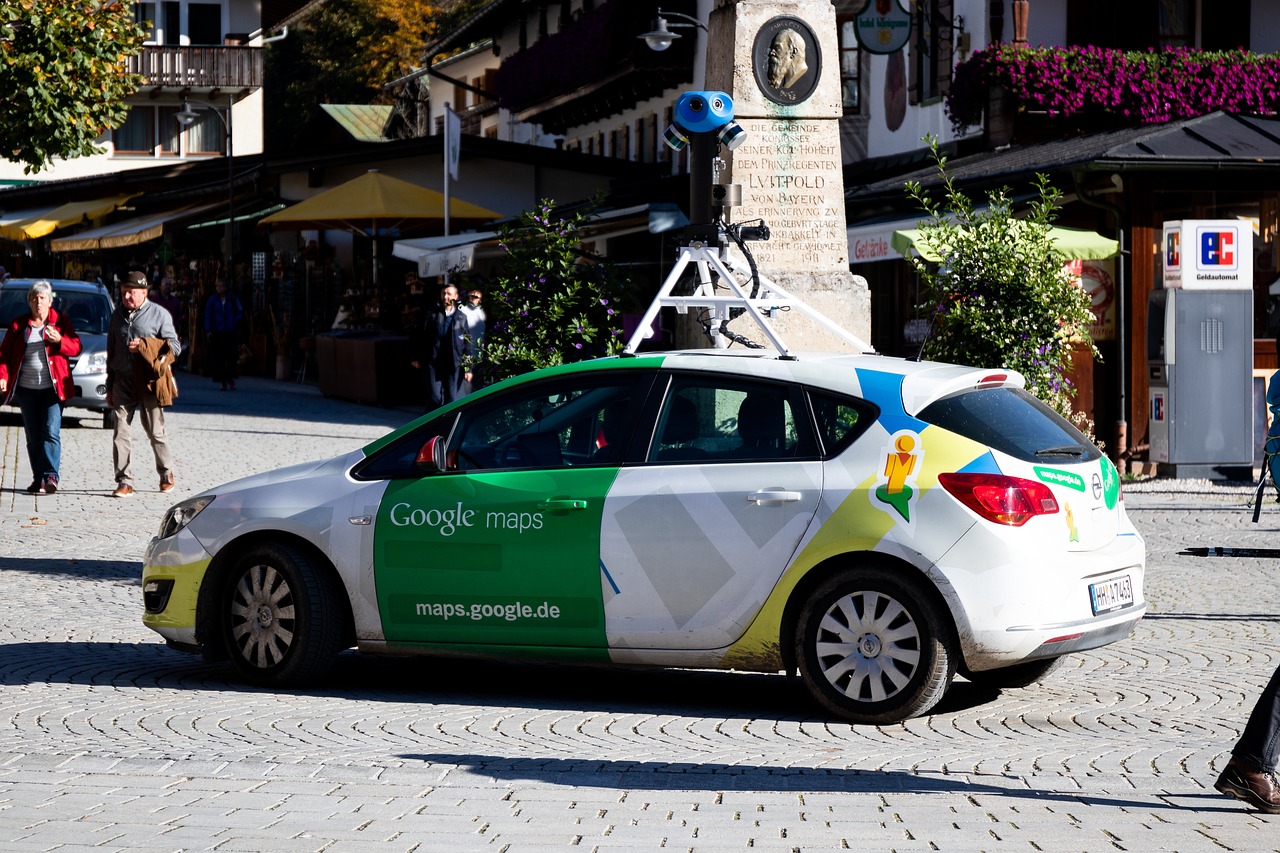
Google Maps remains the most popular choice globally, offering comprehensive coverage, real-time traffic information, public transportation options, and integration with other Google services. Its street view feature allows you to virtually explore destinations before arriving.
Waze stands out for its community-driven approach, where users report accidents, traffic jams, police presence, and road hazards in real-time. This crowdsourced information helps you avoid delays and choose the fastest route dynamically.
Apple Maps has significantly improved over the years and integrates seamlessly with iOS devices. It offers clean interface design, privacy-focused features, and excellent integration with Siri voice commands.
For offline navigation, apps like Maps.ME and HERE WeGo allow you to download entire regions, ensuring you can navigate even without an internet connection—perfect for international travel or areas with poor cellular coverage.
🎯 Setting Up GPS on Your Smartphone
Before using GPS for address finding, ensure your device is properly configured for optimal performance. The setup process is straightforward but essential for accurate navigation.
First, enable location services in your phone’s settings. On Android devices, navigate to Settings > Location and toggle it on. For iPhones, go to Settings > Privacy > Location Services and ensure it’s activated.
Grant location permissions to your chosen navigation app. Most apps require “Allow all the time” or “While using the app” permissions to function correctly. Choose based on your privacy preferences and usage patterns.
Enable high accuracy mode, which uses GPS, Wi-Fi, mobile networks, and sensors to determine your location more precisely. This mode consumes more battery but provides significantly better accuracy in complex environments.
Keep your navigation apps updated to benefit from the latest map data, features, and bug fixes. Developers regularly release updates that improve accuracy and add new functionality.

🔍 Effective Methods to Search for Addresses Using GPS
Finding addresses with GPS involves more than simply typing a location into a search bar. Understanding various search methods enhances your navigation experience.
The most straightforward approach is entering the complete street address, including house number, street name, city, state, and zip code. The more detailed your input, the more accurate the results.
If you don’t have a complete address, searching by business name often works remarkably well. Navigation apps maintain extensive databases of businesses, restaurants, hotels, and landmarks, making it easy to locate places without knowing their exact address.
Coordinates provide the most precise method for location finding. GPS apps accept latitude and longitude in various formats, useful when dealing with remote locations or specific points that lack traditional addresses.
Plus codes, developed by Google, offer a modern alternative to traditional addresses. These short codes represent specific locations and work worldwide, particularly valuable in areas where street addressing systems are incomplete or non-existent.
🚗 Navigating to Your Destination with Turn-by-Turn Directions
Once you’ve located your target address, GPS navigation apps provide comprehensive turn-by-turn guidance to ensure you arrive safely and efficiently.
Voice-guided navigation allows you to keep your eyes on the road while receiving spoken directions. The system announces upcoming turns, lane recommendations, and distance to the next maneuver, enhancing driving safety.
Visual cues complement audio instructions with on-screen arrows, road names, and estimated arrival times. Many apps display the route overview, allowing you to understand your journey’s overall path and duration.
Lane guidance becomes invaluable on highways and complex intersections, showing exactly which lane to occupy for upcoming exits or turns. This feature prevents last-minute lane changes and reduces stress in unfamiliar areas.
Real-time rerouting automatically adjusts your path when traffic conditions change or if you miss a turn. The app recalculates the optimal route within seconds, ensuring you still reach your destination efficiently.
⚡ Maximizing Battery Life During GPS Navigation
GPS navigation can drain your smartphone battery quickly, but several strategies help extend usage time during long journeys.
Reduce screen brightness to the minimum comfortable level, as the display consumes significant power. Most navigation apps remain functional even with reduced brightness.
Close unnecessary background applications that compete for system resources and battery power. Focus your device’s energy on navigation and essential communications.
Consider using a car charger or portable power bank for extended trips. Keeping your device charged ensures uninterrupted navigation service regardless of journey length.
Download offline maps for your route when possible. This reduces data usage and GPS power consumption since the app doesn’t need to constantly download map tiles.
Activate battery saver mode in your navigation app settings. Many apps offer power-saving features that reduce refresh rates and limit background processes without significantly affecting navigation quality.
🌐 Using GPS Without Internet Connection
One common misconception is that GPS requires an internet connection to function. While online connectivity enhances features, basic GPS positioning works offline.
GPS satellites continuously broadcast signals that your device receives without needing internet access. Your phone calculates location based solely on these satellite signals.
The challenge with offline navigation involves map data. Without internet, your device cannot download map tiles, making it difficult to visualize your location and surroundings.
Downloading maps beforehand solves this problem. Apps like Google Maps allow you to download specific regions for offline access, providing full navigation capabilities without cellular or Wi-Fi connections.
Offline maps prove invaluable when traveling internationally to avoid roaming charges, exploring remote areas with limited coverage, or simply conserving mobile data.
🏙️ Navigating in Urban Environments with GPS
Cities present unique challenges for GPS navigation, including tall buildings, underground passages, and complex road networks that can affect signal accuracy.
The “urban canyon effect” occurs when skyscrapers block or reflect GPS signals, creating temporary positioning errors. Modern devices compensate using Wi-Fi positioning and cellular triangulation.
Multi-level roads, such as highways above local streets, can confuse GPS systems about which level you’re traveling on. Quality navigation apps use elevation data and previous movement patterns to make accurate determinations.
One-way streets and turn restrictions are automatically incorporated into route planning, ensuring the suggested path complies with local traffic regulations and doesn’t lead you into violations.
Parking location features help you remember where you left your vehicle in large parking structures or unfamiliar neighborhoods, saving time and frustration when returning.
🚶 Using GPS Navigation for Walking and Cycling
GPS navigation isn’t limited to driving; it excels at guiding pedestrians and cyclists through urban and rural environments.
Walking directions prioritize pedestrian pathways, shortcuts through parks, and stairways that vehicles cannot access. The estimated time accounts for average walking speed rather than driving velocity.
Cycling routes consider bike lanes, paths with lower traffic, and roads with appropriate infrastructure for two-wheeled travel. Elevation data helps cyclists avoid steep climbs when preferred.
Transit navigation combines walking with public transportation, showing bus, train, and subway options with real-time schedules and transfer information for comprehensive urban mobility.
Safety features for pedestrian navigation include well-lit routes for nighttime travel and paths through areas with higher foot traffic when available.
🔐 Privacy Considerations When Using GPS Services
While GPS technology offers tremendous convenience, understanding privacy implications helps you make informed decisions about location sharing.
Location history tracking creates a detailed record of your movements over time. While useful for personal reference, this data resides on company servers and could potentially be accessed by third parties.
Many navigation apps allow you to disable location history or regularly delete it. Review your app’s privacy settings to control what information is collected and retained.
Consider using incognito or private modes when available. Google Maps offers this feature, preventing searches and navigation from being saved to your account.
Evaluate location permission settings for each app. Granting “While using the app” instead of “Always” limits when applications can access your position data.
Read privacy policies to understand how companies use your location data, whether they share it with advertisers, and what control you have over its collection and deletion.
🛠️ Troubleshooting Common GPS Navigation Issues
Even the best GPS systems occasionally experience problems. Knowing how to diagnose and resolve common issues keeps you on track.
If GPS signal is weak or unavailable, move to an area with clear sky view. Buildings, dense foliage, and tunnels all interfere with satellite signal reception.
Restart your device when experiencing persistent GPS problems. This simple action often resolves software glitches affecting location services.
Check that airplane mode is disabled and location services are enabled. These settings can inadvertently turn off, preventing GPS functionality.
Update your navigation app and phone operating system regularly. Software updates frequently include GPS performance improvements and bug fixes.
Calibrate your device’s compass by moving it in a figure-eight pattern. This helps the internal sensors accurately determine which direction you’re facing.
Clear the app’s cache if it becomes sluggish or displays outdated information. This refreshes stored data without deleting downloaded offline maps.
🌟 Advanced GPS Features for Power Users
Beyond basic navigation, modern GPS apps offer sophisticated features that enhance the user experience for those willing to explore deeper functionality.
Custom route planning allows you to add multiple stops, rearrange waypoints, and optimize the sequence for maximum efficiency—perfect for running errands or planning road trips.
Saved locations and favorites create quick access to frequently visited addresses like home, work, family members’ houses, or favorite restaurants.
Location sharing enables you to broadcast your real-time position to trusted contacts, useful for coordinating meetups or providing peace of mind to family members.
Timeline features visualize your movement history on a map, showing where you’ve been, how long you stayed, and how you traveled—valuable for expense tracking or memory keeping.
Integration with calendar apps automatically suggests departure times based on traffic conditions for upcoming appointments at saved locations.
Augmented reality navigation overlays directional arrows onto your phone’s camera view, making it easier to identify correct turns in complex pedestrian environments.
🎓 Teaching Others to Use GPS Navigation Effectively
Helping friends and family, especially older adults or technology newcomers, become comfortable with GPS navigation empowers their independence and confidence.
Start with simple, familiar destinations to build confidence before attempting more complex journeys. Success with easy routes encourages continued use.
Demonstrate voice commands for hands-free operation, which many find less intimidating than typing addresses while managing other tasks.
Practice together before they need to navigate alone. Sitting beside someone during their first few GPS-guided trips provides reassurance and immediate assistance.
Create shortcuts to frequently visited locations, simplifying the search process by reducing the need to type full addresses repeatedly.
Emphasize that GPS isn’t infallible and users should always trust their judgment. If a suggested route seems wrong or unsafe, choosing an alternative is perfectly acceptable.
🚀 The Future of GPS and Address Finding Technology
GPS technology continues evolving rapidly, with emerging innovations promising even more intuitive and accurate navigation experiences.
Indoor positioning systems are being developed to extend GPS-like functionality inside buildings where satellite signals cannot reach, revolutionizing navigation in airports, shopping malls, and large venues.
Artificial intelligence integration will predict destinations based on your habits, time of day, and calendar events, often suggesting your destination before you even search.
Augmented reality windshields will project navigation information directly onto car glass, eliminating the need to glance at separate screens while driving.
Vehicle-to-vehicle communication will share real-time traffic and hazard information between cars automatically, creating a collaborative navigation network beyond current crowdsourcing capabilities.
Three-dimensional mapping with detailed building interiors will provide navigation guidance through complex structures, directing you to specific rooms or floors within large facilities.
✨ Embracing GPS Technology for Daily Life Enhancement
GPS navigation has transformed from a luxury feature to an essential daily tool that simplifies countless aspects of modern life beyond simple address finding.
Exploring new neighborhoods becomes an adventure rather than a source of anxiety when you know you can always find your way back. This confidence encourages spontaneity and discovery.
Business professionals save valuable time by optimizing routes between appointments, arriving punctually despite unpredictable traffic conditions, and projecting professionalism through reliability.
Emergency situations benefit from precise location sharing, allowing first responders to reach you quickly even if you cannot clearly describe your whereabouts.
Travel experiences improve dramatically when you can confidently navigate foreign cities without language barriers hindering your ability to ask for directions.
The ability to find any address instantly represents more than technological convenience—it symbolizes freedom, independence, and the power to explore our world with confidence and curiosity.
By mastering GPS navigation tools, understanding their capabilities and limitations, and staying informed about emerging features, you transform your relationship with physical space and gain control over your mobility in ways previous generations could only imagine.
